
Safety Centre
Bronva is built to be a clean, fast and open place to talk, share and connect, and that only works if people feel safe. This is your one-stop guide to the tools Bronva gives you, how we handle problems, and where to turn for help. Bronva is for people aged 16 and over.
Our approach to safety
Bronva exists to protect freedom of speech and expression, and to be fair about it. Real safety and real freedom support each other: you should be able to say what you think without being bullied, scammed, threatened or exploited. Here is how we try to get that balance right.
Freedom, with limits that matter
Lawful opinions, including unpopular ones, are welcome. Illegal content and serious harm, such as child sexual exploitation, threats, harassment, fraud and content that encourages self-harm, are not. Our Community Guidelines explain the line.
Fairness and human judgement
We do not want people losing their accounts over mistakes. Automated tools can flag content for attention, but they are warning aids, and you can appeal decisions you think are wrong.
You are in control
Block, mute, hide, restrict who can contact you and lock down your privacy in a few taps. No hunting through menus within menus.
16 and over only
People under 16 cannot create an account. Members aged 16 and 17 automatically receive our strongest privacy and safety settings.
Always improving
Bronva is constantly developed, and your reports and ideas shape what we build next. Tell us what would make you feel safer.
UK Online Safety Act
Bronva is operated from England and designed with the UK Online Safety Act in mind, including illegal content risk assessment, reporting tools, complaints and age requirements. We review our approach as regulator guidance develops.
Your safety tools
Choose a topic to see what is available.
Block
Blocking removes any friendship, hides you and the other person from each other in chats, the feed, search and member lists, and stops messages, friend requests, comments and tags. Blocking is never announced to the other person.
Mute
Take a quiet break from someone’s posts and alerts, from one hour to indefinitely, without telling them. You can also mute words and phrases and hide individual posts.
Choose who can contact or tag you
Decide who can message you, tag you or invite you to groups. You can allow messages from friends only.
Hide me from search
Ask to be found only by your friends, and hide specific people from your own search results.
Report posts and members
Every post has a Report option. Choose a reason such as illegal content, child safety, suicide or self-harm, harassment, threats or hate, spam or scams, or another reason, and add details if you wish.
Report from anywhere
Reports can be made from any chat, profile, member directory entry or post. When you report a chat, you can choose to include recent messages as evidence and block the person in the same step.
Updates on your report
You may receive an email when your report has been reviewed. For privacy and fairness, we may not be able to share the details of any action taken against another member.
Warning banners
Bronva Messenger can show a banner when a message shows signs of things like scams, pressure for money, risky links, bullying, threats, unwanted sexual requests, or requests to move the conversation elsewhere. You can dismiss warnings, and you can choose how sensitive they are.
Link caution
Links in suspicious messages ask you to confirm before opening. Video embeds only load when you press them.
Think before you send
Before you send something that looks like a card number, password, phone number or address to someone who is not a friend, Messenger gives you a prompt. These are friendly nudges you can override, not silent blocks.
Blurred media from non-friends
Photos and videos from people who are not your friends are blurred until you tap them. Message requests from non-friends are kept separate.
Lock down
One tap sets your privacy to its most private options. A privacy check-up shows which protections are on and which are not.
Automatic protection for 16 and 17-year-olds
Members aged 16 or 17 receive the strongest settings automatically until they turn 18, including a friends-only profile, no listing in the directory or search engines, and limited visibility of their activity. These settings are locked for their protection.
Approximate check-ins only
If you add a location to a post, it is rounded so your exact doorstep is never shown. Hidden location and camera data is also removed from uploaded photos.
Panic button
Hides your profile, pauses your account, locks your privacy settings and signs out your other devices.
Quick Exit
A red button, also triggered by pressing Esc three times, takes you straight to a neutral website. It does not clear your browsing history, so use a private window if that matters to you.
Content warnings and spoilers
Members can place sensitive posts behind a click-to-reveal warning and blur spoilers. Our GIF search is set to a teen-friendly (PG-13) rating.
Breaks, quiet hours and limits
Use break reminders, quiet hours, snooze, a daily time limit and blurred media until tapped to keep Bronva healthy for you.
How to report something
Reporting is quick and you do not need to prove anything. If something looks wrong, tell us.
- Find the Report option. Use the “More” or Report option on a post, or the menu in a chat or profile.
- Pick a reason. Choose the closest match. If you are unsure, choose “Other”.
- Add detail (optional). A short note helps our reviewers. In chats you can include recent messages as evidence.
- Protect yourself. You can block or mute the person at the same time. We review reports and take action where our rules or the law require it.
Spotting trouble: what to look out for
Most people on Bronva are there to connect. A few simple warning signs will help you stay a step ahead of the few who are not.
Scams and fraud
- Anyone asking for money, gift cards, crypto or bank details, especially if they are in a hurry.
- Offers that seem too good to be true, or messages that pressure you to act immediately.
- Links that look slightly wrong or ask you to log in elsewhere.
- Someone you recently met online who suddenly has an emergency.
Never send money to someone you have not met in person. In the UK, report fraud to Action Fraud (0300 123 2040), or Police Scotland on 101 if you are in Scotland.
Grooming, pressure and unwanted sexual contact
- Someone asking you to keep things secret.
- Pressure to move to another app or site.
- Unwanted sexual messages or requests for intimate images.
- Flattery or gifts that seem designed to make you feel you owe something.
You do not have to respond. Stop replying, block the person, save any evidence, and report it to us. If someone is in danger, contact the police. The CEOP Safety Centre (ceop.police.uk) takes reports about online sexual abuse involving under-18s.
Blackmail and threats
If someone threatens to share private images or information unless you pay or do something, do not pay and do not engage. Keep the evidence, block them, and report to us and to the police. In the UK, Report Remove (by Childline) can help under-18s remove images, and StopNCII.org can help adults prevent intimate images being shared.
Bullying, harassment and abuse
Persistent unwanted contact, targeted insults, pile-ons and threats are not acceptable. Mute or block, report the posts, and consider locking your profile down. You are never to blame for what someone else does.
Misleading or fake accounts
Be cautious of accounts that copy someone else’s name or photos, push you to click links, or send the same message to many people. Report impersonation and spam so we can look into it.
Self-harm and distress
If you are struggling, or worried about someone else, please reach out. Bronva will offer support information if our tools detect you may be at risk, but only you decide whether to use it. Contacts are listed below.
Help and support contacts
Choose your country to see well-known support services. These are independent organisations, not run by Bronva. Please check each service’s own website for current opening times, as numbers and availability can change.
Reporting to the authorities and specialist organisations
Internet Watch Foundation
Report suspected child sexual abuse imagery anonymously at report.iwf.org.uk.
CEOP Safety Centre
Report online sexual abuse or concerning contact involving a child at ceop.police.uk.
Report Harmful Content
Get help with harmful content you have already reported to a platform at reportharmfulcontent.com.
Action Fraud
Report fraud and cyber crime in England, Wales and Northern Ireland at actionfraud.police.uk.
Fair decisions, complaints and appeals
We know how frustrating it is to feel wrongly punished online. That is exactly why Bronva was created, so we take fairness seriously.
We tell you what happened
If your content is hidden or your account is restricted, we aim to explain the reason and how to challenge it.
You can appeal
If you think we got it wrong, you can ask us to look again. See Moderation Appeals.
You can complain
If you are unhappy with how we handled a report, a decision or our service, use our Complaints Procedure.
Your rights over your data
You can download your information, make a data request or delete your account at any time. See Data Protection and Your Rights.
Safety Centre FAQs
Who can use Bronva?
Bronva is for people aged 16 and over. If you are under 16, you cannot create an account, and if we find an account belongs to someone under 16, we will hide it and arrange for its deletion. Where we can, we will also let you download your data first.
Will the other person know I blocked or reported them?
Blocking is not announced to the other person, and muting is silent. Reports are handled by our team and we do not tell the person who made a report.
Does Bronva read my private messages?
Messenger can use automated tools to spot warning signs and show you a safety banner. Messages are not displayed to our team just because they were sent. If you report a conversation, the evidence you choose to include will be reviewed. For full details, see our Privacy Policy.
Can my account be suspended?
Yes, if our rules are repeatedly or seriously broken. Restrictions are generally proportionate, and you can appeal. Serious illegal activity may result in immediate removal and may be reported to the authorities where the law permits or requires.
Do you work with the police?
We may share information with law enforcement where the law requires or allows it. See Law Enforcement Requests.
I think I’ve been scammed. What should I do?
Stop contact, do not send more money, tell your bank straight away, keep the evidence, report the account to us, and report the fraud to your local authority (Action Fraud in the UK).
How can I suggest a safety improvement?
Email support@bronva.com or visit Suggest a Feature. We read what members tell us, and many improvements come from you.
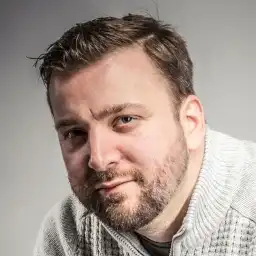
A message from our founder: I built Bronva so people could speak freely without being treated unfairly, and that has to go hand in hand with feeling safe. If something worries you, please tell us. We are listening, and we are always improving. James William Steven Parker
Related safety pages
Community Guidelines
What is and is not allowed.
Online Safety
Our approach to online safety duties.
Protecting Younger Members
How we protect members aged 16 and 17.
Reporting Content
Step-by-step reporting.
Messenger Safety Features
Safer chatting tools.
Online Safety Contacts
Who to contact about safety.
A safer, simpler social network starts with people like you
Bronva grows when members invite friends, family and loved ones. Join us, set up your safety preferences in a minute, and bring your people along. You must be 16 or over to join.