
Online Safety Information
Free expression and safety go together. This page explains how Bronva works to keep people safe worldwide, how we approach our responsibilities under the UK Online Safety Act 2023 and similar laws, and how you can protect yourself and others.
Read the summary Jump to a section Get help nowThe short version
This summary is a friendly guide only. The full information below is what applies.
16 and over only
Age checks at sign-up and afterwards. Members aged 16 and 17 get our strongest safety settings automatically.
Report anything
Every post, chat, profile and member listing has a way to report. Illegal content is taken seriously.
You are in control
Block, mute, content warnings, privacy settings and a quick-exit button put you in charge.
Warnings, not silent blocks
Messenger shows dismissible warnings about scams, abuse and risky links, so you decide.
Fair and explained
We explain decisions, you can appeal, and we avoid snap judgements based on one word.
Help worldwide
Independent support organisations for many countries are in section 13 and on our Online Safety Contacts page.
Safety at a glance
| I want to… | Do this |
|---|---|
| Report a post | Tap Report on the post and choose a reason. |
| Stop someone contacting me | Block them from their profile, a chat or a post (section 7). |
| Take a break from someone | Mute them for an hour or indefinitely. They aren’t told. |
| Make everything private fast | Use the Lock down button in Privacy settings. |
| Leave the site quickly | Switch on quick exit, then press Esc three times. |
| Challenge a decision | Use Moderation Appeals (section 11). |
Your first-five-minutes safety checklist
Tick things off as you go. Nothing is saved or sent anywhere.
Contents
- Our approach to safety
- Who can use Bronva
- Protections for younger members
- Illegal content and our risk assessment
- What is not allowed
- Reporting tools
- Tools to protect yourself
- Messenger safety features
- How we handle reports
- Freedom of expression and privacy
- Complaints and appeals
- Staying safe online
- Where to get help
- Limits and changes
- Safety across Bronva
- Parents, carers and educators
- Your data and rights worldwide
- Glossary
1. Our approach to safety
Bronva (including Bronva Social and Bronva Games) is a user-to-user service: members create and share content that other members can see. Under the UK Online Safety Act 2023, services like ours must assess and reduce the risk of illegal content, provide ways to report content and complain, apply terms consistently, and protect children from harm. Ofcom is the UK regulator. Bronva is open to people worldwide, so we also aim to respect the online safety and data protection laws of the places our members live.
We take these responsibilities seriously without giving up what makes Bronva different: a place where you can speak your mind. Four ideas guide us:
- Prevent. Age checks, protective defaults, rate limits and bot protection reduce harm before it happens.
- Empower. Every member has simple, visible tools to control who reaches them and what they see.
- Respond. Reports are reviewed, illegal content is acted on, and serious matters can be referred to the authorities.
- Be fair. We explain decisions, avoid relying on a single word or an automated guess, and offer appeals.
Read this page with our Community Guidelines, Terms and Conditions, Privacy Policy and Content Moderation Policy.
↑ Back to top2. Who can use Bronva
- At sign-up you give your date of birth and confirm you are old enough. It is used only to check your age, is visible only to administrators and is never shown to other members. Impossible dates are rejected.
- If someone says they are under 16, no account is created and we don’t keep the date entered. We may block repeated attempts from the same device or network for a short time.
- After sign-up, accounts are checked automatically. If an account is found to belong to someone under 16, the profile is hidden, the holder is told and offered a way to download their information, and the account is then deleted after a short period.
- Accounts without a date of birth are asked to provide one. If they don’t, the profile is hidden after a period of time.
- Dates of birth can’t be edited once saved, to protect these safeguards. Contact us if one was entered by mistake.
No age check is perfect, and we may take further reasonable steps if we have good reason to doubt someone’s age. If you know of a member who may be under 16, please report them or email support@bronva.com.
↑ Back to top3. Protections for younger members
Members aged 16 and 17 are automatically placed on our strongest privacy and safety settings until they turn 18, and the most protective switches are locked so they can’t be loosened by mistake or pressure. These include:
- a friends-only profile, hidden from the members directory and search engines;
- a private friends list, and friends-only groups, photos, tags and invitations;
- hidden “last active” status; and
- no personalised suggestions, research use or partner offers.
Other protections help everyone: blurred photos and videos from non-friends, “message requests” for messages from non-friends, limits on links from brand-new accounts, and a quick-exit button. GIFs are filtered to a teen-appropriate (PG-13) rating. See Protecting Younger Members.
4. Illegal content and our risk assessment
We carry out, and keep under review, an assessment of the risk that illegal content could appear on Bronva or be shared through it, and of the harm that could cause. We use it to decide which safety measures to put in place, and we update it when we add features or when risks change. We keep records of our assessments and measures.
Types of illegal content we take most seriously
- child sexual exploitation and abuse, including grooming;
- terrorism;
- threats, harassment, stalking and incitement to violence or hatred;
- fraud, scams and the sale of illegal items;
- intimate image abuse (sharing, or threatening to share, intimate images without consent);
- encouraging or assisting suicide or serious self-harm; and
- other offences covered by the Act.
What we do when we find it
When we become aware of content we reasonably believe is illegal, we act swiftly and proportionately. That can include removing it, restricting or closing accounts, preserving evidence, and reporting to the police or specialist bodies (for example child protection organisations) where the law requires or allows. See Reporting Illegal Content and Law Enforcement Requests.
↑ Back to top5. What is not allowed
Our Community Guidelines explain these rules in full. In short, you must not use Bronva to:
- share anything illegal, including child sexual abuse material and terrorism content;
- threaten, harass, stalk, bully or blackmail others;
- promote hatred or violence against people because of who they are;
- encourage suicide, self-harm or serious eating disorders;
- post sexually explicit content or send unwanted sexual messages;
- run scams, impersonate others or mislead people for harm; or
- attack, probe or misuse Bronva, or get around its safety features.
Criticising ideas, beliefs, institutions and public figures isn’t a breach on its own. Context and intent matter.
↑ Back to top6. Reporting tools
You can report from almost anywhere, and you don’t need to be the person affected.
| Where | How |
|---|---|
| Posts | Use the Report button and pick a reason: illegal content, child safety, suicide or self-harm, harassment, threats or hate, spam or scams, or other. Add details if you can. |
| Chats, profiles and member listings | Use the report option. A report can include recent messages as evidence, and you can block the person in the same step. |
| By email | support@bronva.com with the subject “Online safety concern”. Include links where you can. |
| Illegal content | See Reporting Illegal Content. You can also report to the police or the specialist organisations in section 13. |
Making a useful report
- Pick the reason that fits best. Urgent categories are prioritised.
- Add a short note on what happened and why it concerns you.
- Keep screenshots or links safe, but never save or forward child abuse imagery. Report it instead.
- Block or mute the person if you wish, then look after yourself.
Where we can, we tell the person who reported once a report has been resolved. Please don’t make false or abusive reports, as that can lead to action against your account. See Reporting Content.
↑ Back to top7. Tools to protect yourself
Block
Removes the friendship and hides you and the other person from each other in chats, feeds, search and member lists. They can’t message, comment, tag or send you friend requests, and they aren’t told. See Blocking and Muting.
Mute
Take a quiet break from someone’s posts and alerts, from an hour to indefinitely, without telling them. Mute words and hide single posts too.
Privacy settings
Choose who sees your profile, friends, groups and photos, who can tag or invite you and who can message you. A lock-down button sets everything to its most private option, and a panic button can hide your profile and sign out other devices.
Content warnings and friends-only posts
Hide sensitive posts behind a click-to-reveal box, blur spoilers, and share personal posts with confirmed friends only.
Quick exit
An optional red button, also triggered by pressing Esc three times, leaves Bronva immediately if you need to.
Safety centre
Emergency numbers and help lines for your own country, plus practical tips. See the Safety Centre.
Also helpful: sign-in security tools (a list of signed-in devices, sign-out of other devices, automatic sign-out), email alerts for new-device sign-ins, and wellbeing tools such as break reminders and daily time limits. Administrators can’t be blocked, muted or reported through these tools, but you can still contact us about any concern.
↑ Back to top8. Messenger safety features
To help protect you in private chats, Bronva Messenger (the docked chat that opens from the chat button on any page) may automatically look at messages you receive for general warning signs, such as requests for money, scams and phishing, risky or disguised links, spam, bullying, threats, unwanted sexual requests, pressure to move to another platform, and signs that someone may be at risk. Key points:
- Warnings, not silent blocks. You see a banner you can dismiss, or a flag with “Report” and “Why?” options. Links in suspicious messages ask you to confirm before opening.
- Before you send. You may be warned if you’re about to share sensitive details, such as a card number, password or address, with someone who isn’t a friend, or if a message looks abusive. If a message suggests you may be struggling, we offer support. You can choose to continue.
- Stranger protections. Messages from non-friends go to message requests, and their photos and videos are blurred until you tap. You can choose to receive messages from friends only.
- Safe files. Programs, scripts and files that look like code can’t be sent.
- Your sensitivity setting. You can adjust how sensitive the warnings are.
These tools are guides, not guarantees. They cannot catch everything, and they are no substitute for your own care. We describe them in general terms only, because detailed descriptions would help people evade them. See Messenger Safety Features.
↑ Back to top9. How we handle reports
- We receive the report and review the reported content and relevant context.
- Quick protective action. Where enough reports are made about a post, it can be hidden from feeds while it is checked. An administrator can restore it if it was hidden in error.
- A person decides. We aim for significant decisions, such as removing content or restricting an account, to involve a person rather than rely on automated tools alone.
- Proportionate action. Depending on seriousness and history, we may add a warning, remove content, limit features, suspend an account for a time (longer if problems repeat) or permanently close it, and refer matters to the authorities where appropriate.
- We tell you. Where we act against your content or account, we normally email you the reason and how to appeal, unless we are legally prevented or telling you would put someone at risk.
Safety is a team effort. We can’t promise to review every report within a set time, and we cannot respond to emergencies. See Content Moderation and Account Suspensions and Restrictions.
↑ Back to top10. Freedom of expression and privacy
The Online Safety Act asks services to balance safety with users’ rights to freedom of expression and privacy, and so do we. That’s why:
- we don’t remove content simply because it is controversial or unpopular, and we try to look at context rather than a single word, a name or an automated guess;
- automated tools are used to warn and to point us to things worth a look, not to silently punish people; and
- we handle your personal data carefully and describe it openly in our Privacy Policy. We don’t read private messages as a matter of routine.
11. Complaints and appeals
- Appeal a decision. If you think we got it wrong, ask us to look again. We aim to respond within 14 days of a complete appeal. See Moderation Appeals and the Appeals Policy.
- Make a complaint. Unhappy with how we handled a report, a decision, or our duties under the Act? Use our Complaints Procedure.
- Your rights. Using our processes does not affect your legal rights, including any right to complain to a regulator or bring a claim.
12. Staying safe online
- Be wary of money requests. Never send money, gift cards or crypto to someone you haven’t met. Be sceptical of “too good to be true” offers.
- Protect your details. Keep passwords private, use a password manager and turn on extra sign-in security where offered. Don’t share card numbers, ID details or your address with people you don’t know well.
- Think before you click. Check links from unknown people. Be careful with unexpected files.
- Be careful about secrecy. Be alert if someone asks you to keep chats secret or to move to another app, especially if they ask for photos or personal information.
- Don’t share intimate images if you are unsure. If someone threatens to share yours, don’t pay, keep the evidence, stop contact and get help (see section 13).
- Check in on yourself. Take breaks, use quiet hours and mute things that upset you.
- Meeting people. Meet people from online only in public places and tell someone you trust. We can’t verify who people are.
- Talk to someone. If something online troubles you, tell a friend, family member or trusted adult.
Spotting a scam
| Warning sign | What to do |
|---|---|
| Pressure to act urgently or keep it secret | Stop, take a break and talk to someone you trust. |
| Requests for money, gift cards or crypto | Refuse, block and report. |
| Links asking you to sign in elsewhere | Don’t click. Go to the real site yourself. |
| Romance or investment offers from strangers | Don’t send money. Report it and tell your national fraud service. |
13. Where to get help
United Kingdom and Ireland
- Childline (under 19s, UK): 0800 1111
- Samaritans (UK and Ireland): 116 123
- Shout (UK): text SHOUT to 85258
- Internet Watch Foundation: report.iwf.org.uk to report child sexual abuse imagery
- CEOP Safety Centre: ceop.police.uk/safety-centre for online grooming or exploitation
- Action Fraud (UK): actionfraud.police.uk for scams and fraud
- Ofcom: ofcom.org.uk for online safety regulation
Around the world
| Region | Emotional support | Reporting and other help |
|---|---|---|
| USA | Call or text 988 (Suicide & Crisis Lifeline) | NCMEC CyberTipline for child exploitation |
| Canada | Call or text 988 | Cybertip.ca |
| Australia | Lifeline 13 11 14; Kids Helpline 1800 55 1800 | eSafety Commissioner |
| New Zealand | Call or text 1737 | Netsafe (netsafe.org.nz) |
| India | Tele-MANAS 14416 | Cyber Crime Portal (cybercrime.gov.in) |
| Anywhere | Find a helpline: findahelpline.com | StopNCII.org to help stop intimate images spreading |
More contacts are on our Online Safety Contacts page. These organisations are independent of Bronva, and we don’t control or guarantee their services. Numbers can change, so check the organisation’s own website.
↑ Back to top14. Limits and changes
We work hard to keep Bronva safe, but no service can promise to remove all harmful content, prevent every misuse or catch every underage account. We cannot monitor everything in real time, and we aren’t responsible for content created by members or for third-party websites and services. Nothing on this page limits any liability that cannot lawfully be limited, or your legal rights. This page is general information, not legal, medical or professional advice.
Bronva is always improving, so we’ll update our safety measures and this page as features, risks and the law change, and we’ll update the date at the top. This page is governed by the laws of England and Wales, without removing any mandatory rights you have where you live. Questions? Email support@bronva.com.
↑ Back to top15. Safety across Bronva
Every part of Bronva shares the same rules and the same tools.
Activity feed
Report, hide, mute or block from any post. Add content warnings, friends-only visibility and spoiler blur. New accounts have limits on links and posting speed.
Groups
Choose public, private or hidden groups. Group admins and moderators can remove posts and manage members. You can report any group or post.
Messenger
The docked chat has message requests, blurred media from strangers, warnings and one-tap reporting. See section 8.
Bronva Games
Games play instantly in your browser with no downloads or sign-up needed. Games run inside protected frames so they can’t take over the page.
Search and profiles
Hide yourself from search, hide individual people from your results, and set each profile field to friends only or private.
Photos
Hidden location and camera data is removed from uploaded photos, and you can report any image.
What happens to an account
- Sign-up. Age check, spam protection and a welcome checklist.
- Early days. Extra limits on links and posting help stop scams.
- If reported. Content is reviewed, and a person makes significant decisions.
- If rules are broken. Warnings, then limits, then suspensions, then closure for repeated or serious harm.
- If you disagree. You can appeal or complain.
16. Parents, carers and educators
Bronva is for people aged 16 and over, but young people and their families are often curious about it. Here is how to support them.
- Talk early and often. Ask what they enjoy online and what has felt uncomfortable.
- Make it safe to tell you. Reassure them they won’t be in trouble for reporting something.
- Know the signs. Secrecy, sudden mood changes, new contacts pushing to move chats elsewhere, or requests for photos or money.
- Explore settings together. Review privacy, blocking and muting side by side.
- Keep evidence, not images. Never copy or forward child abuse imagery. Report it to the right body (section 13).
17. Your data and rights worldwide
Bronva is available globally. Depending on where you live, you may have rights over your personal data, such as access, correction, deletion, objection and portability. These can arise under laws such as the UK and EU GDPR, state privacy laws in the USA, and laws in Canada, Australia, Brazil, India and elsewhere.
| You can | Where |
|---|---|
| Download your information | Downloading Your Information |
| Make a data request | Personal Data Requests |
| Delete your account | Account Deletion |
| Manage cookies | Cookie Settings |
| Learn more | Data Protection and Your Rights |
18. Glossary
Grooming
When someone builds trust with a person, often a young person, in order to exploit or abuse them.
Phishing
A trick message that tries to get you to give away passwords or payment details.
Intimate image abuse
Sharing or threatening to share private sexual images without consent.
Sextortion
Blackmail using real or fake intimate images, usually demanding money. Don’t pay, stop contact and report it.
Message request
A message from someone who isn’t your friend, kept apart until you choose to accept it.
Content warning
A click-to-reveal box that hides a sensitive post until the reader chooses to see it.
Ofcom
The UK regulator that oversees the Online Safety Act 2023.
Common questions
Why is Bronva 16 and over?
Our protections are designed for people aged 16 and over. Members aged 16 and 17 receive extra protection automatically.
Do you scan my private messages?
Messenger may check messages you receive for general warning signs so it can show you dismissible warnings. We don’t read private messages as a matter of routine, but our team may review specific messages if they are reported or where there is a serious safety risk or legal requirement. See our Privacy Policy.
Will you take down content because I disagree with it?
Not for that reason alone. We act on illegal content and on the specific harms in our Community Guidelines. You can also block, mute and hide anything you don’t want to see.
Will the person I report know it was me?
We don’t tell people who reported them. We may be required to share information with authorities where the law allows or requires it.
What if you remove my content by mistake?
Use Moderation Appeals. We review appeals and fix mistakes.
How can I leave Bronva quickly if I feel unsafe?
Switch on the quick-exit button in your comfort settings, or press Esc three times. You can also use the lock-down or panic buttons in your privacy settings.
I live outside the UK. Do these protections apply to me?
Yes. The same safety tools, age rules and reporting options apply to every member worldwide. Section 13 lists help in several regions.
Can I use Bronva on my phone?
Yes. Bronva works on phones, tablets and computers, and can be installed to your home screen. See Using Bronva on Mobile.
Is Bronva Games covered by these rules?
Yes. The same Community Guidelines and reporting routes apply across Bronva.
Does Bronva work in my language?
Yes. You can choose your own interface language, and posts in other languages show a Translate link.
Can I pause my account instead of deleting it?
Yes. Privacy settings let you pause your account for a week, a month, three months or until you switch it back on.
What if I’m being blackmailed?
Don’t pay, stop contact, keep the evidence, block and report, then contact the services in section 13.
Can I hide that I’m online?
Yes. You can hide your active status, read receipts and typing indicator.
Are my private messages used for advertising?
We don’t read private messages as a matter of routine. Any sponsored suggestions are clearly labelled, and our Privacy Policy explains how data is used.
Can someone see that I blocked them?
No. Blocking is never announced.
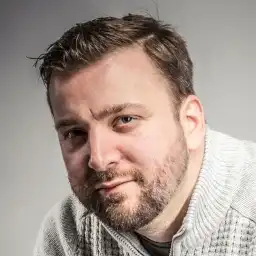
I built Bronva so people could speak freely without fear, and that only works if people also feel safe. We’ll keep improving our safety tools, we’ll be honest about their limits, and we’ll treat you fairly. If you think we can do better, please tell me.
James William Steven Parker, Founder of Bronva
Related help pages
Safer, faster, friendlier
Join Bronva, take control of your safety settings from day one and invite the people you care about.
Create your free account Safety Centre Online Safety Contacts